Conditional Access Visualizer & Deployer Tool

Conditional Access management is critical, but reviewing and documenting policies in the Entra portal can be slow and fragmented. This web app gives security and identity teams a faster way to understand, report on, and roll out Conditional Access at scale.
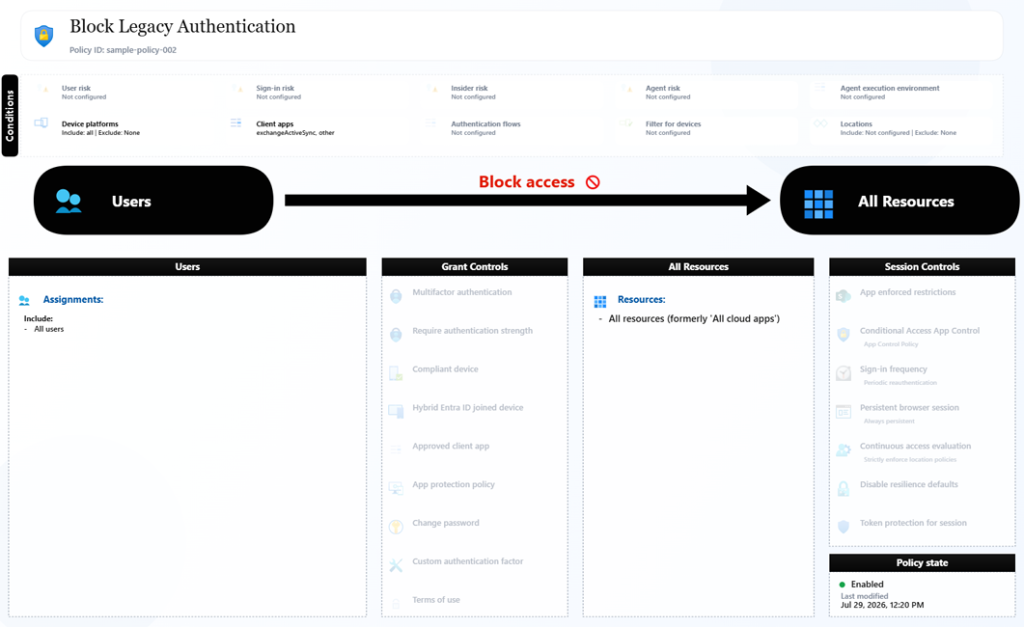
With secure Microsoft Graph sign-in, the app pulls live tenant policies into a clean, analyst-friendly dashboard. Teams can quickly filter by policy state, search across assignments and controls, and open deep policy views that break down users, groups, apps, locations, risk signals, grant controls, and session settings. It turns complex policy JSON into readable, decision-ready insight.
When it is time to share or audit, built-in export tools generate polished PDF or PNG documentation from selected policies. For organizations starting or standardizing their posture, the app also includes a guided baseline deployment flow: select baseline files, deploy with progress tracking, and review a detailed summary of what was created, skipped, or failed.
The result is a practical “visualize + deploy” experience for Entra ID Conditional Access: less manual effort, clearer governance artifacts, and a faster path from policy review to security hardening.
https://conditionalaccess.joeyverlinden.com
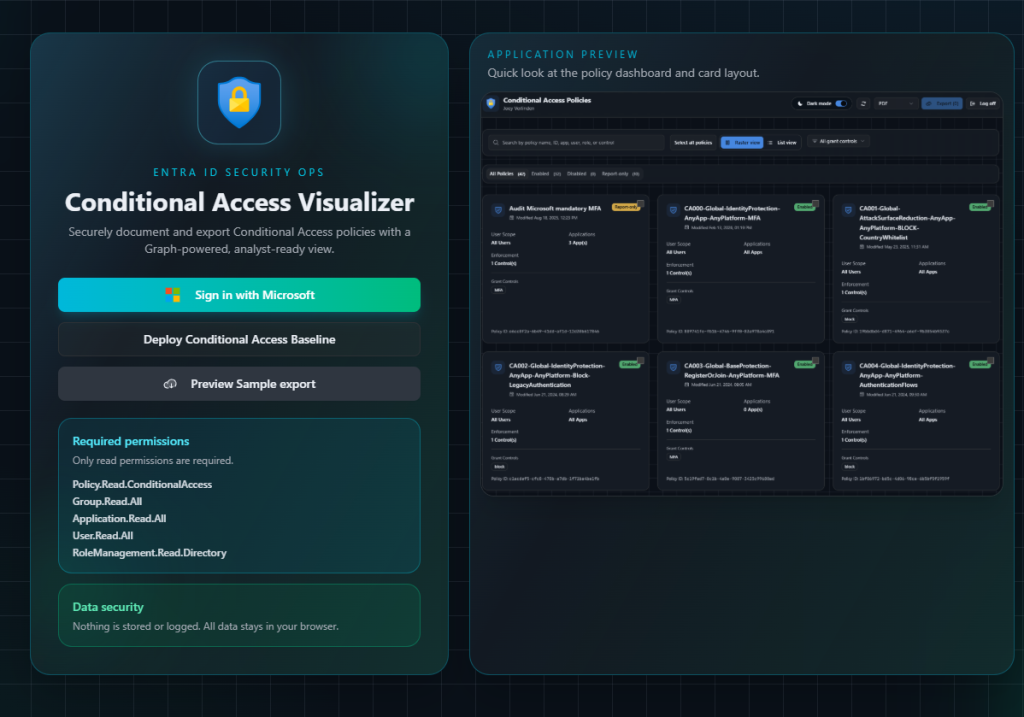
Secure Microsoft Graph Sign-In
The app uses OAuth via Microsoft identity platform to authenticate administrators and retrieve tenant policy data through Microsoft Graph. It supports session restoration, sign-out, and clear error handling for configuration/auth failures.
What this means for admins:
- Fast connect to live tenant data
- No manual API scripts needed
- Controlled, read-focused access for policy analysis workflows
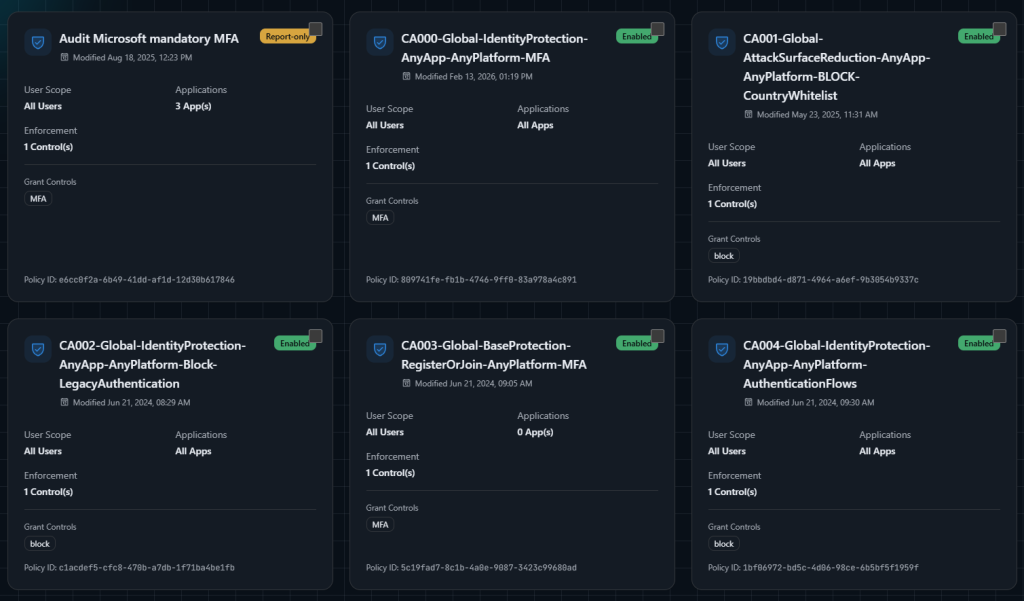
Live Conditional Access Policy Inventory
After sign-in, policies are loaded and presented in an interactive dashboard with state-aware categorization.
Key capabilities:
- View all policies in one place
- Tabs for policy state segmentation:
- Enabled
- Disabled
- Report-only
- Policy name and state badge
- Last modified timestamp
- User scope summary
- App scope summary
- Enforcement/grant control summary
- Direct policy ID visibility
- Refresh on demand to pull latest tenant configuration
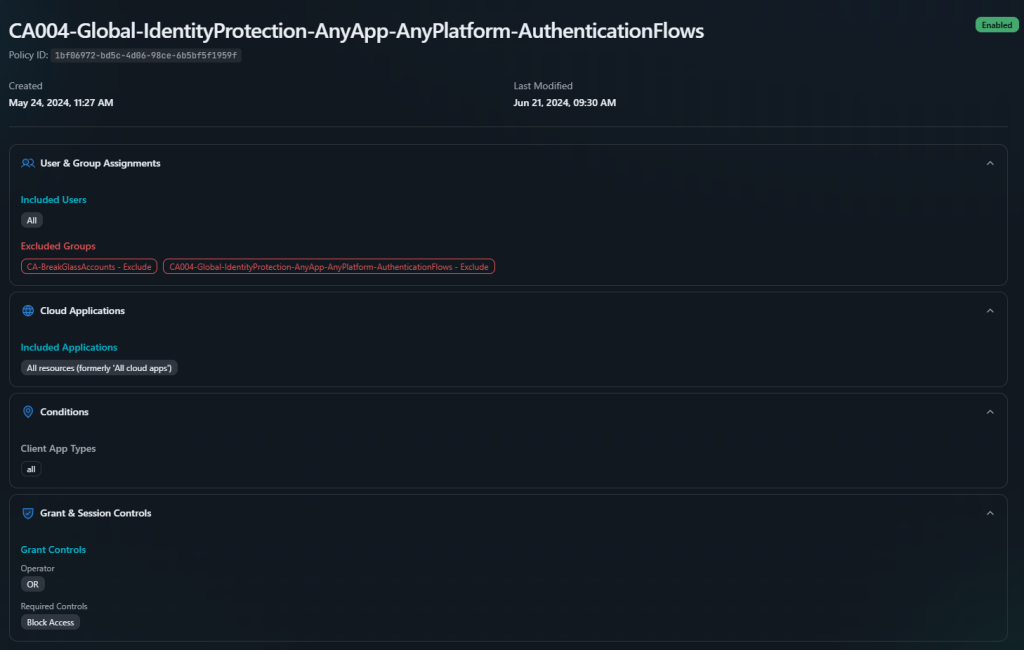
Deep-Dive Policy Details Page
Selecting a policy opens a comprehensive breakdown designed for technical review and audit prep.
Detailed sections include:
- User and group assignments (included/excluded)
- Role targeting
- Service principal and agent identity targeting
- Guest/external user conditions
- Cloud app include/exclude rules
- Client app types and platform conditions
- Named locations and risk levels
- Grant controls (including authentication strength when present)
- Session controls (sign-in frequency, CAE, Defender for Cloud Apps mode, etc.)
It also resolves many object identifiers to friendly names to improve readability for non-API audiences.
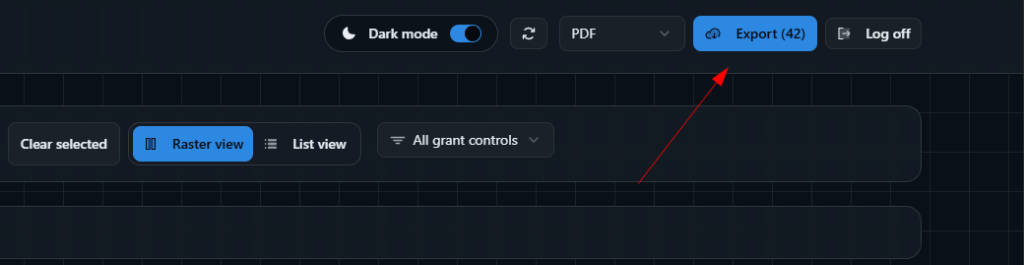
Bulk Selection and Export Workflow
The app includes a built-in documentation pipeline with multi-policy export support.
Export features:
- Select individual policies or bulk-select visible sets
- Export to:
- PDF (consolidated documentation)
- PNG (cover + per-policy artifacts)
- Deterministic export ordering for predictable output sets
There is also a sample export preview flow that generates downloadable output from mock policy data, which is useful for demos and stakeholder previews without connecting to production data.
Baseline Deployment Mode
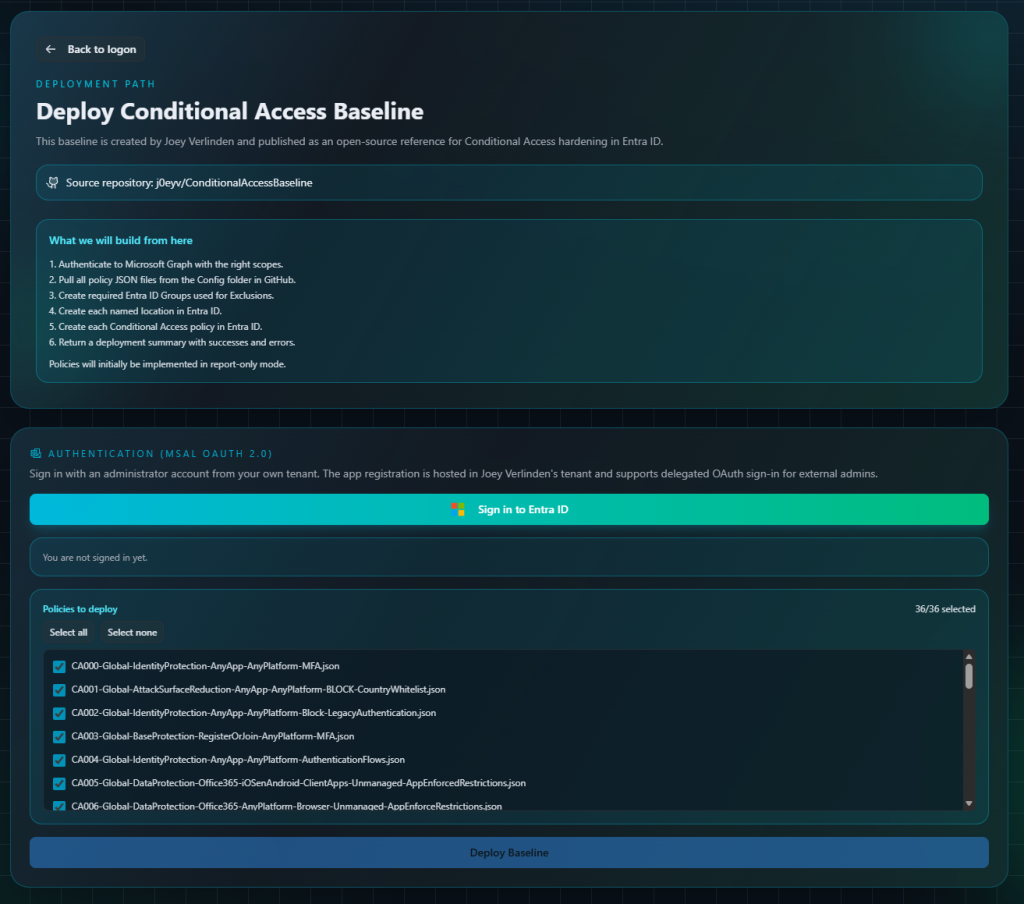
Beyond visualization, the app offers a dedicated “Deploy Conditional Access Baseline” path for teams that want to accelerate secure rollout.
Deployment flow includes:
- Admin OAuth sign-in for deployment permissions
- Retrieval of baseline policy definitions from a public GitHub baseline repository
- Policy catalog loading with per-file selection controls
- “Select all / select none” deployment targeting
- Deployment progress tracking (live phase + percentage)
- End-of-run deployment summary:
- Groups created/skipped/failed
- Named locations created/skipped/failed
- Policies created/skipped/failed
- Warnings and errors surfaced clearly
The baseline is staged in a safer operational posture (report-only first), enabling validation before strict enforcement.
Explore the tool!
The tool is completely free for everyone to use. Development is primarily focused on users of my Conditional Access Baseline. However, if you use your own Conditional Access policies, you can still take full advantage of the Visualizer and Exporter features without any limitations.
Explore it yourself! https://conditionalaccess.joeyverlinden.com/
Written by Joey Verlinden
Back to all articles